May 17, 2026




 Written by Anir k
With so much Video-on-Demand (VOD) content available, finding the right film on IPTV can feel like searching for a needle in a haystack. This guide gives practical, easy-to-follow tips to speed up searches, tighten filters and troubleshoot common problems — so you spend less time browsing and more time watching. We’ll cover search strategies, useful filters, device-specific navigation and simple fixes for the issues you’re likely to hit.
Searching smartly saves time. Treat the search bar like a tool: use clear titles, relevant keywords and the platform’s category menus. Mixing precise terms with genre browsing often leads to the best finds — whether you want a specific title or something to match your mood.
Try these approaches to speed up discovery:
Combine these methods for faster, more accurate results.
Keywords and categories are your best friends when a catalogue is large. Start with a focused keyword — a title, director or actor — then add a genre or year filter to cut out unrelated results. If you’re exploring, begin with a category and use filters to home in on films that match your mood or language preference.
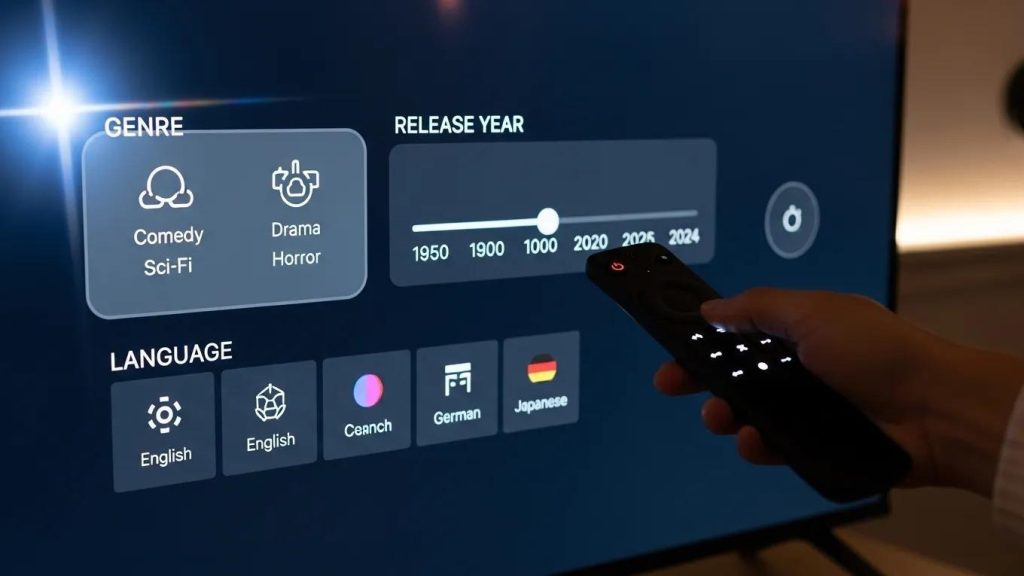
Filters let you cut through the clutter. Knowing which filters to use — and when — turns a huge library into a short list of good options that suit what you want to watch right now.
Each filter has a clear use:
Used together, these filters produce much more relevant search results.
Yes. Many IPTV platforms learn from what you watch and let you fine-tune recommendations. Custom settings — like favourite genres or watch history — help the service suggest films you’re more likely to enjoy, saving you time and introducing you to new favourites.
Research into IPTV recommendation systems highlights how tracking viewing habits and comparing profiles across users can improve recommendation accuracy.
Personalised IPTV VOD recommendation service
As IPTV services expanded and channel counts grew, finding preferred content became harder. To address this, recommendation models track users’ viewing histories and preferences, comparing them with similar users to suggest programmes that match each viewer’s tastes. This personalised approach improves content discovery by applying past behaviour and preference data to generate better recommendations.
Customized iptv content recommendation service model based on personal preference, 2011

Most modern devices support VOD search and filters: smart TVs, smartphones and tablets are the most common. Each device offers the same core features but with different controls — remote, touch or mouse — so navigation will feel slightly different depending on what you use.
Device-specific tips:
These small changes in how you interact make searches smoother on each device.

Many providers offer tiered plans that allow streaming on more than one device at the same time. Choosing the right plan depends on how many screens you need and whether you want HD or 4K quality.
| Subscription plan | Features | Price |
|---|---|---|
| Basic Plan | Single device access, standard definition | £9.99/month |
| Family Plan | Multi-device access, HD streaming | £14.99/month |
| Premium Plan | Multi-device access, 4K streaming, exclusive content | £19.99/month |
These tiers cover different needs, so pick the one that fits how you watch — solo, with family or for the best picture quality.
Even with good search tools, problems can happen. The fixes are usually straightforward — check the basics first, then move to account or app settings if needed.
If search results look wrong or incomplete, try these steps:
These actions usually restore accurate search behaviour.
Tune these areas for better results:
Making these changes helps searches run smoothly and keeps streams stable.
Learning how to search and filter VOD on IPTV makes a real difference to your viewing time. Use specific keywords, apply the right filters and tailor recommendations to your tastes to find films faster. If you’re ready to get better results, review your device settings and subscription plan — then sit back and enjoy movies with less hassle. Explore our recommended plans to find the one that suits your viewing style and start watching with confidence.